For some time now I have been investigating over 300 real-life UTM tracking applications to get more insights about the technique.
But that’s not all;
I wanted to be abreast with web tracking changes, especially when attributing traffic and revenue to campaigns, channels, and content.
Based on the outcome, I decided not only to share the insights but also to save you time by ensuring that this post comprehensively examines the topic of UTM tracking.
Don’t you think your time is valuable?
Here’s what you should expect from this post.
- UTM Parameters and Tracking (Easy-to-Understand Definition)
- Importance of UTM Parameters/ Tracking
- Types of UTM Parameters
- Combining Parameters
- Difference Between UTM Tracking Codes and Event Tracking
- UTM Parameter Creation
- How UTM Tracking Works
- 4 UTM Tracking Tips (Best Practices)
- Top 5 Tried and Tested Tools for UTM Parameter Generation
With that in mind, let’s dive in.
What Are UTM Parameters?

Let me begin by highlighting what is UTM.
In a simple definition, UTM is an acronym for Urchin Tracking Module. This term came from Urchin (predecessor to Google Analytics).
UTM parameters (also identified as UTM tags or codes) are text snippets added at the end of a URL to assist in tracking website traffic especially where the traffic is coming from.
My investigation (as mentioned above) and conventional knowledge show that UTM parameters can provide information about the link’s purpose, placement, and associated content.
Apart from integrating with Google Analytics 4, these parameters can also work with other tools such as Hotjar, Tableau, and Mixpanel.
Here’s an example of a UTM parameter in a URL
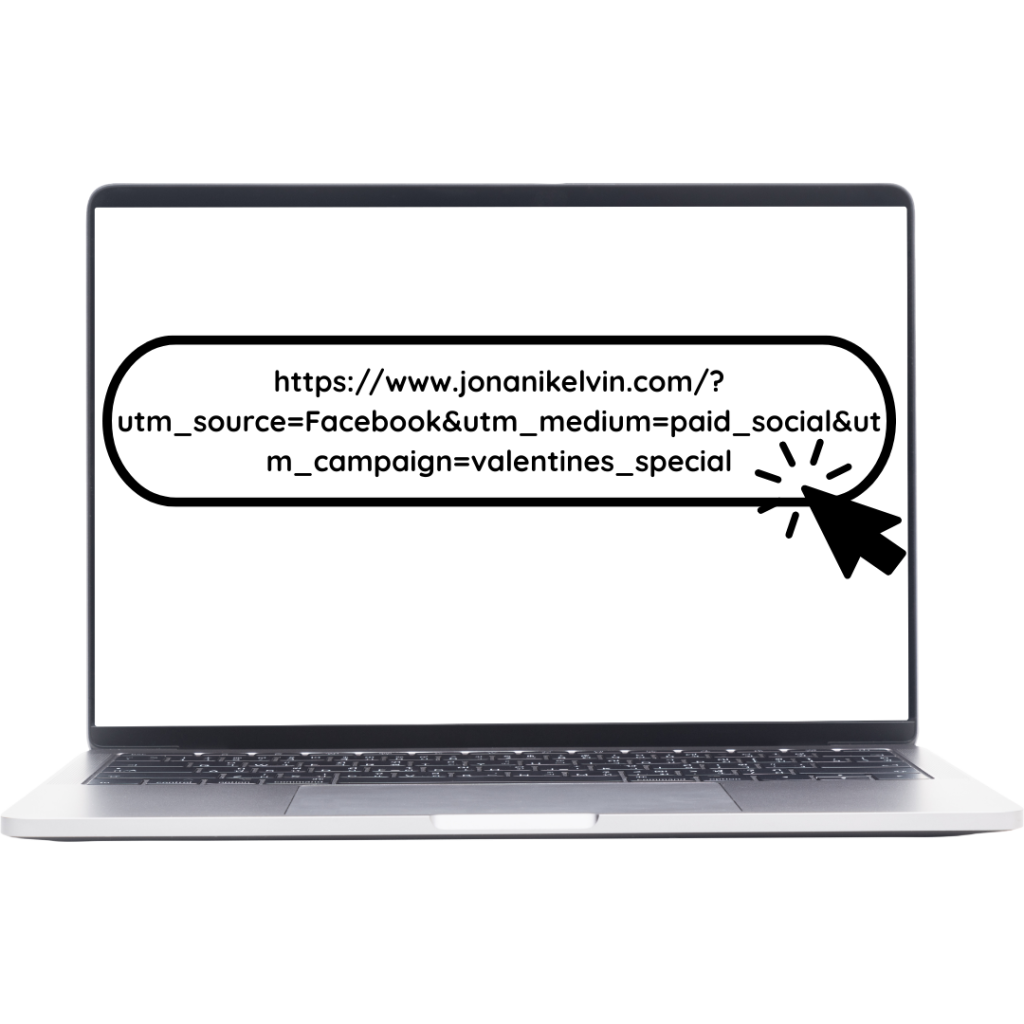
Take note that UTM parameters are not affected by cookies and third-party tracking pixel changes or opt-outs.
What is UTM Tracking?
To understand UTM Tracking better, let’s take an example of an active Instagram ad for your ‘product launch.’
Let’s say a user clicks on the Ad and he/she is directed to your landing page.
Remember the link had a UTM parameter at the end.
In this case, the UTM parameter will help you track and attribute the user session to the Instagram ad.
This process is known as UTM tracking.
Why is UTM Parameters/Tracking Important?

UTM parameters help you identify messages and channels that generate the most traffic/ conversions and supposed improvements.
This means that;
Using UTM parameters to track your traffic sources helps you optimize your marketing campaigns in terms of budget allocation, justify spending, and adjust campaigns.
In simple terms;
UTM parameters are important for:
Accurate attribution: you get to assign accurate credit to different website traffic sources.
Also Read: The SECRET Behind GA4 Attribution Models (Basic to Advanced Guide + BONUS Info on DDA)
Measuring campaign performance: you get to measure and understand how your campaigns are performing across multiple channels/ platforms.
Calculating and Analyzing ROI: you get to pinpoint traffic and conversions based on data from different channels and calculate associated ROI (Return on Investment).
Segmenting Audiences: you get to segment your traffic based on different sources and tailor content based on specific audience insights.
Promoting Data-driven Decisions: you get to precisely and objectively use data in improving your marketing campaign strategy.
How Many Types of UTM Parameters Exist?
There are 5 main types of UTM parameters with each type being identified by its specific tag.
Type 1: utm_source (required)
This parameter helps you identify the source of your traffic.
The source can be search engine results, Facebook, X (formerly known as Twitter), and blogs among many other sources.
Here’s a sample code
utm_source=Facebook
Type 2: utm_medium (required)
This parameter specifies the medium/ type of channel where the link is placed. For example, email, CPC, and paid social.
Here’s a sample code:
utm_medium=organic_social
Type 3: utm_campaign (required)
This parameter highlights the campaign that the URL is part of.
Look,
In almost all scenarios the utm_campaign tag functions as an identifier for things such as promotion name, contest name, campaign theme, and influencer’s username among many other related factors.
Here’s a sample code.
utm_campaign=valentines_deals
Type 4: utm_content
This parameter is commonly used in scenarios where multiple links are pointing to the same URL.
I mostly use this parameter in Conversion Rate Optimization practices such as A/B testing of social ads or posts
Here’s a sample code:
utm_content=consultant
Type 5: utm_term
This parameter assists in identifying keyword driving clicks in a paid search campaign.
Here’s one of the real-life examples
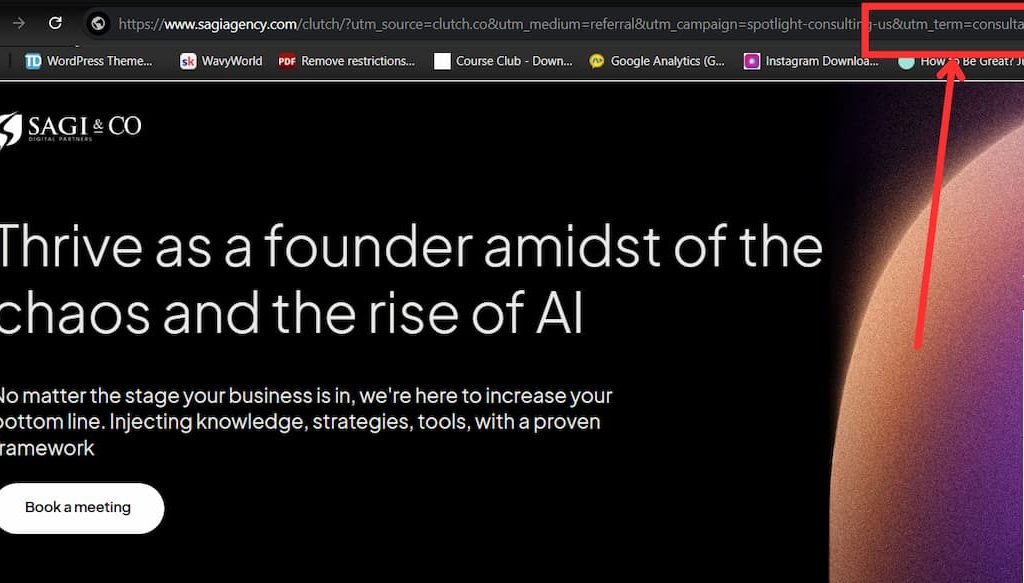
From this example;
The “utm_term” parameter/tag shows that “consultant” was the key term/s that should be given credit for the click.
During my study, I encountered additional but optional UTM tags associated with Google Analytics 4.
They include:
utm_id: used in identifying specific promotions or campaigns. This tag is required in Google Analytics 4 especially when importing data on clicks, impressions, and cost from Google Ads.
utm_source_platform: used in identifying source platforms such as Search Ads 360.
How to Combine UTM Parameters
Did you know that you can combine all the aforementioned parameters in one link?
Well, here’s how to do it.
Step one: insert a question mark(?) after the last forward slash of the URL
For example:

Step two: place each type of parameter and separate using an & symbol.
For example:

I know sometimes building your own links might be cumbersome.
To simplify the process, here’s what you should know.
You can create the links automatically (more on this later. Keep reading.)
Furthermore;
You can use link shorteners to avoid showing long URLs, especially in your posts.
What’s the Difference Between UTM Tracking Codes and Event Tracking?
Look;
It is common sometimes to be confused about the difference between UTM tracking codes and Google Analytics 4 event tracking.
But here’s the thing about the two…
They are meant for different functions. UTM tracking codes show where users are coming from whereas event tracking shows what they do as soon as they land on your website or landing page.
Depending on the situation, I recommend that you use them together to get a clearer view of your marketing performance.
The bottom line is;
When I look at the two from a vantage point, I am certain that they can help you identify where your traffic is coming from and their interactions on your website.
How to Create UTM Parameters

Get this;
There are different ways of creating UTM parameters/ codes.
However, in this post, I focus on the most common ones.
Manual Approach
With this approach, you just add the text snippet at the end of a URL.
But you should know that with this approach you’re prone to errors, especially in situations involving multiple UTM parameters that make the URL lengthy.
Consequently, I don’t recommend this approach unless you want to take the manual approach.
Google URL Builder Approach
This approach involves using the Google Analytics URL Builder.
To be honest, this is the tool that I have been using for some time now.
I like it not only because it is easy to use but also saves time, especially in situations where limited or no coding is required.
Here’s the best part;
You can also shorten long URLs using Bitly within the same interface.
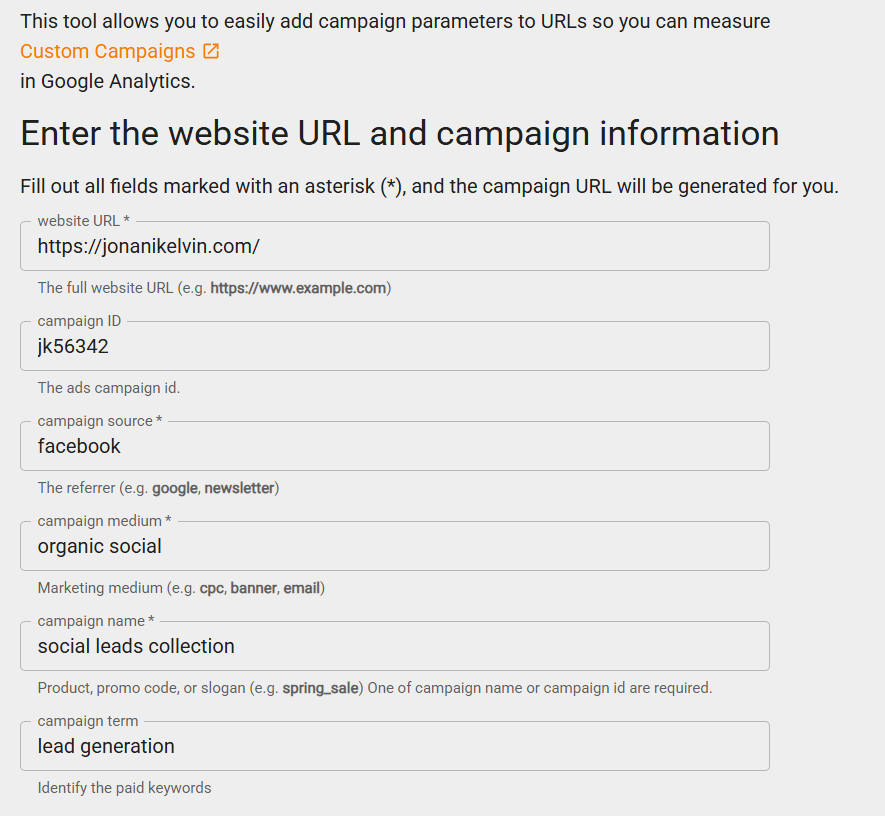
To understand how to use it, follow the steps below.
Step One: Enter your details as illustrated below.
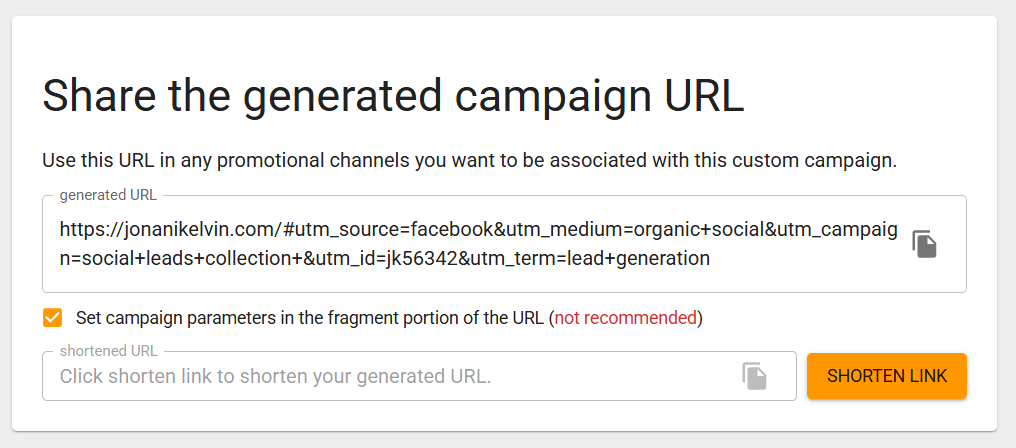
Step Two: Generate the entire URL with UTM parameters. You can opt to shorten it.
Step Three: Copy and paste the code into your content or content.
Real-life UTM Tracking Experience
In my 300+ investigations on how UTM tracking applications work, I encountered both different and similar real-life applications.
Instead of exploring one application at a time, let me just bundle them and summarize the experience based on related functionality.
Functionality One: Understanding the origin of your website traffic
If you have been following up then by now you have known that this is the primary reason for UTM tracking.
It is worth noting that Google Analytics displays default channel groupings.
However;
UTM codes offer a more precise solution when it comes to tracking where your traffic is coming from especially the referral and direct traffic.
Functionality two: know the exact links that people are clicking in a campaign
I usually opt for this approach when running email marketing campaigns for clients.
In the series of emails, I use UTM codes to track several CTAs that direct them to specific client websites.
In my investigation, I found out that other websites are using UTM’s to track CTA’s, especially in newsletters.
Based on my experience, I find this approach practical and appealing since you might know your open-and-click rates but fail to establish specific links that had the most clicks and the ones with the least.
In such a situation;
UTM parameters make it easier for you to differentiate the links and track the number of clicks.
But that’s not all.
I encountered a scenario where UTM parameters were used to track specific banners in a banner ad campaign.
Functionality three: Group web or app traffic medium
There’s this scenario I encountered where businesses were trying to run marketing campaigns and shared related content on their social media handles.
In Google Analytics 4, all the campaigns placed in different social media accounts will be placed under the ‘social’ channel.
Let’s assume;
One of the businesses wanted to promote the content on respective social media platforms.
Google may fail to recognize some aspects of the social campaigns under the social channel of GA4.
As a result, you will have to use specific types of UTM parameters such as utm_medium (i.e. utm_medium=social) for all shared links on different social channels.
This approach will help you track performance across the social networks.
Take note.
The utm_medium parameter can be useful when differentiating organic and paid traffic.
For instance;
You are running paid campaigns on TikTok. To avoid a situation whereby all your traffic data is grouped under the ‘social’ channel, you will have to use the utm_medium parameter to differentiate between paid and organic social traffic.
Functionality four: Tracking traffic campaigns
Let’s say;
You’re currently conducting a campaign for different coaching packages and associated services.
Normally, it is almost impossible to attribute with certainty the currently recorded traffic in your GA4 property to your campaigns.
In other words;
Figuring out the specific marketing campaigns that are driving collected results might be challenging.
However, UTM parameters such as utm_campaign solve the aforementioned problem.
During my investigation, I encountered a perfect example of the use of the utm_campaign parameter.
In a nutshell;
The business was running a 30 percent discount Valentine’s Day campaign on flowers and other accessories.
Here’s how their UTM parameters for different campaigns.
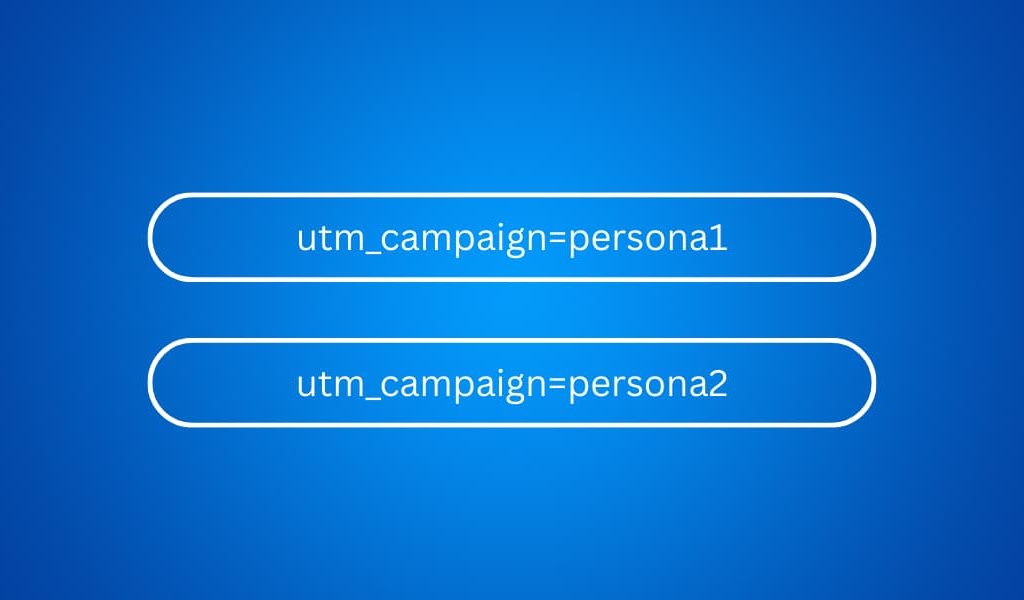
Take note;
This is just one of the examples of the use of the utm_campaign parameter.
You are likely to come across others as soon as you begin using them.
Top 4 Critical UTM Tracking Tips (Best Practices)
Here are the best practices that I observed while investigating different UTM tracking applications.
1.Have a UTM Naming Convention from the Beginning
Here’s the thing about the UTM naming convention.
Having a well-structured way, especially in situations where more than one person is involved in web tracking processes makes it easier to collect and attribute traffic data.
But that’s not all;
It will also help avoid potential errors.
2. Name your parameters using easy-to-understand names
Look;
With time your GA4 property will grow in terms of data that is being captured especially if you’re running multiple campaigns.
As a result, you might need an extra- hand when it comes to handling the data accurately or you might also need to filter multiple sets of data.
Either way;
The accuracy of picking the right sets of data for explorations will depend significantly on how easy it is to identify UTM parameters based on their names.
3. Avoid Repetition
Imagine what will happen when you have different UTM parameters with the same or almost similar keywords.
I know you might be wondering…
“How can this happen?”
Get this.
There are situations especially when placing UTM parameters on blog articles where you might unknowingly repeat some keywords.
To avoid this, ensure that each UTM parameter answers a specific question.
For example;
- What is the source of the clicked URL? Facebook
- What’s the campaign? Valentines’ deals
- What’s the medium? Paid social
- Where will the user go after clicking the URL? Shop page
4. Make URLs Friendlier by Shortening them
Lengthy URLs can become complex, especially in situations where you are running sophisticated campaigns.
As a result, I recommend using link shorteners such as Bit.ly to make the URLs friendlier.
Top 5 Tried and Tested Tools for UTM Parameter Generation (UTM Builders)
1.Google Campaign URL Builder
I won’t talk much about this tool.
I have been using it for some time and would also recommend that you try it as well as others below and find what works for you.
2. Facebook Google Analytics URL Builder
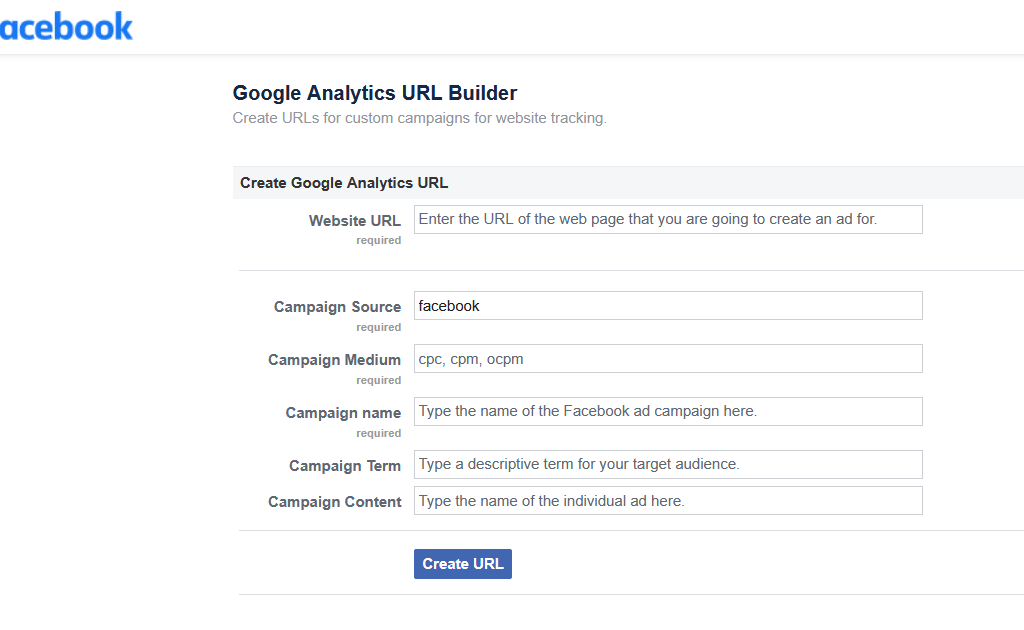
Just like the Google Campaign URL builder, this tool is also straightforward when it comes to its ease of use.
3. Triggerbee Link Creator
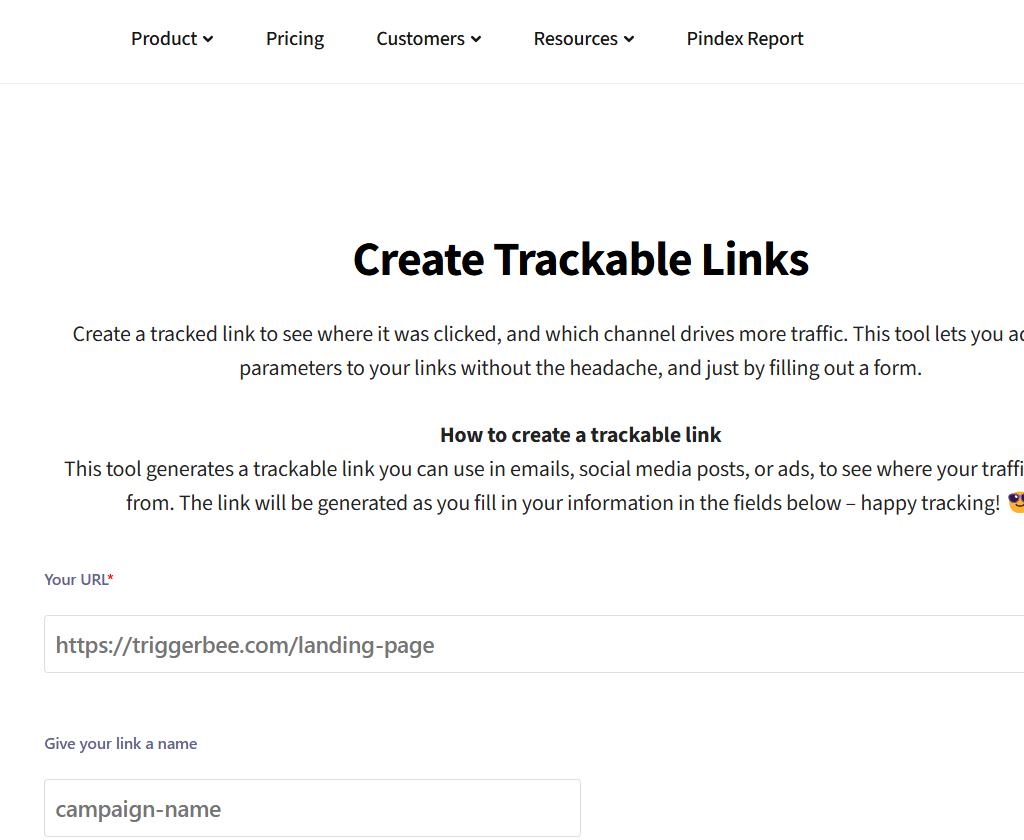
Triggerbee Link Creator has an additional option for email parameters that can used in email campaigns.
The primary downside of this tool is that it does not include some key terms such as content, medium, and term.
4. Terminusapp URL Builder
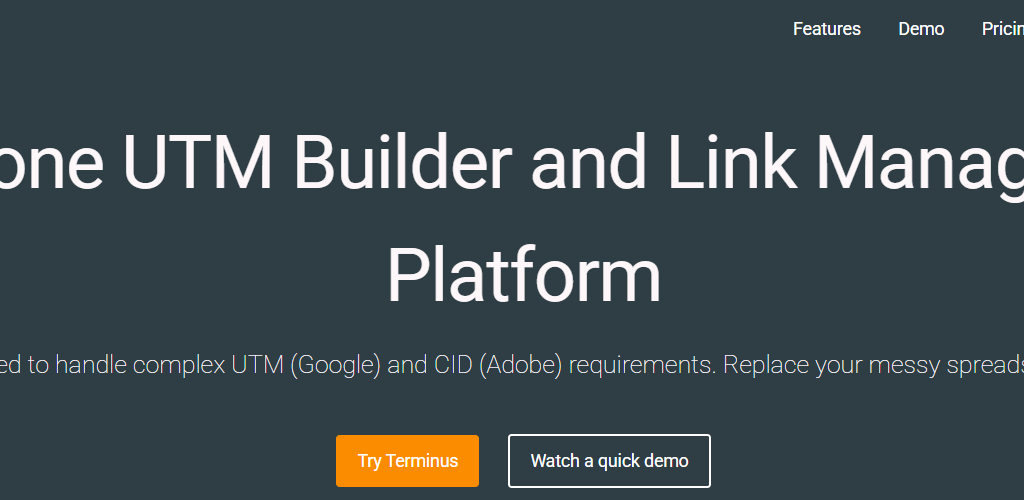
This tool comes with a standard UTM builder with five parameters.
In addition, the tool comes with a Google sheet option where you get to create bulk URLs.
I happened to test the Google sheet option and discovered that it uses a Concatenate feature to combine values in individual cells.
5. Raven Tools URL Builder
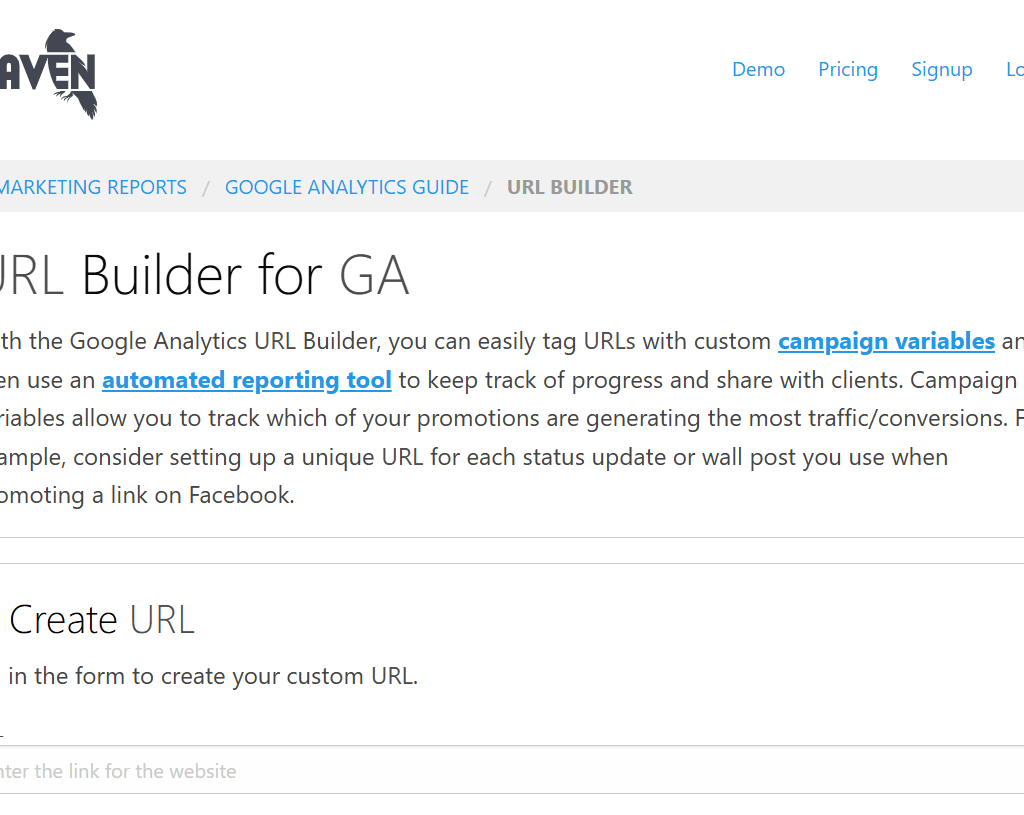
This tool helps you generate UTM-based URLs and incorporates standard UTM parameters which are entered manually.
However;
It does not have provisions for bulk URL building.
To Sum up…
In a nutshell, there is room for more UTM tracking applications. In this post, I tried to explore insights from what I knew and the information that I had collected from my investigations. Remember, I can help you with all your web tracking needs. Feel Free to reach out for assistance.